Everything a bookkeeping firm runs on, in one app.
Tasks and close checklists, onboarding, a client portal, AP, an AI Close Agent, team permissions and a sales pipeline, all sharing the same clients and the same data.
Tasks & month-end close
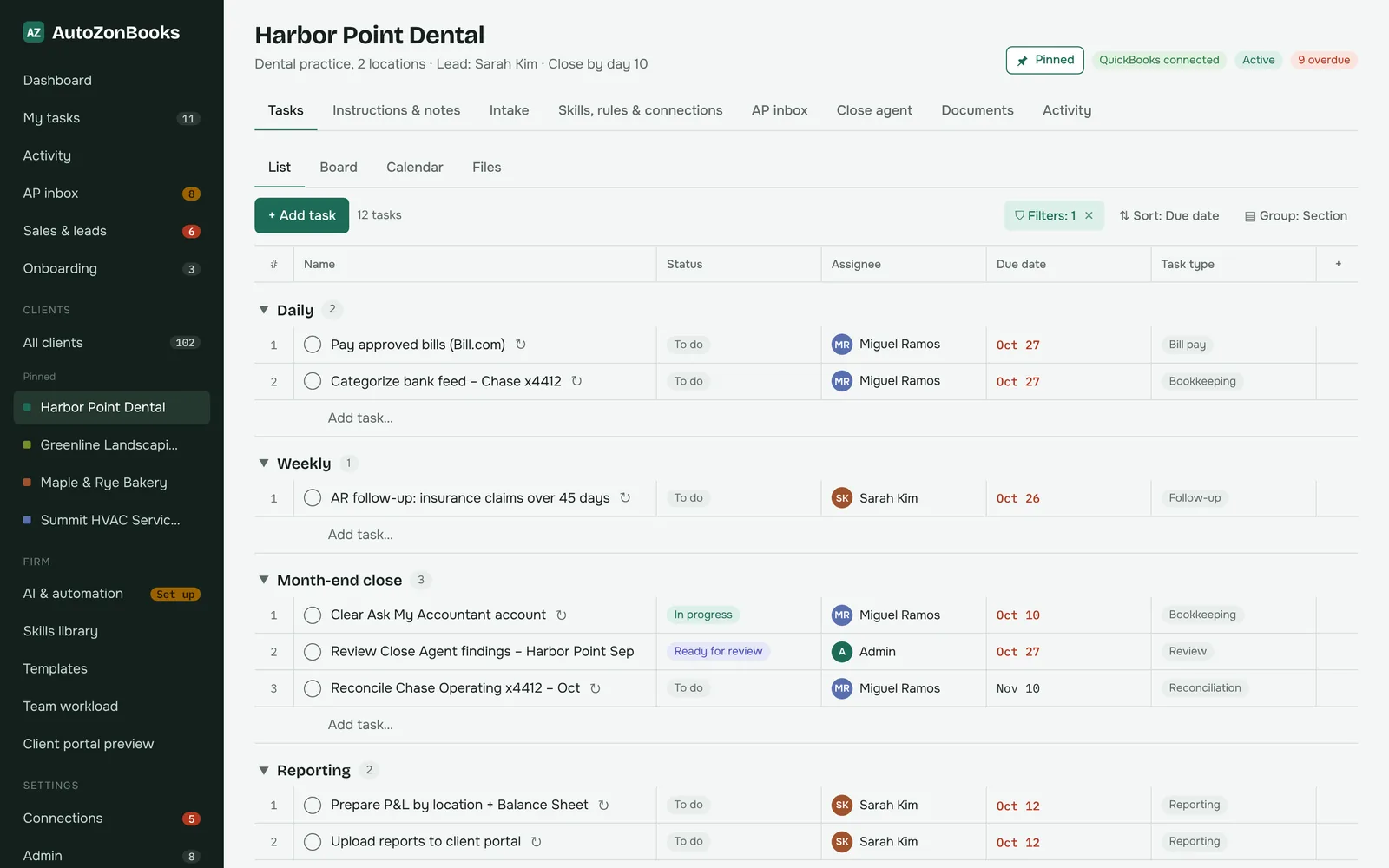
Every client is a project, organized the way your team already thinks about the work: daily, weekly, month-end close, reporting.
Clients as projects
Each client has its own sections, tasks, instructions and notes, documents and activity.
Recurring close checklists
Month-end tasks repeat automatically, so next month’s close is ready before this one is done.
Assignees, comments, attachments
Assign work, discuss it on the task, attach files, and see a full activity history.
List, board and calendar views
Switch views per client to plan the week or move work across statuses.
My tasks with filters
Each person sees everything assigned to them across clients, filtered the way they like.
Team workload
See who has what due and rebalance before deadlines slip.
Customizable dashboards
Every user builds their own dashboards. Changes you make are yours alone.
Close progress at a glance
See how far along each client’s month-end close is from the dashboard.
Client onboarding
Bring a new client on the same way every time, without a separate checklist living in someone’s head.
Intake form
Capture the client’s details, accounts and contacts in one structured place.
Template that creates tasks
Your onboarding template creates the setup tasks and assigns them to the right people.
Onboarding checklist
Track every step of setup and see which new clients are still in progress.
Close-out
Finish onboarding cleanly and move the client into their regular monthly routine.
Client portal
A simple portal for each client, under your firm’s name, that replaces the back-and-forth email threads.
More about the portal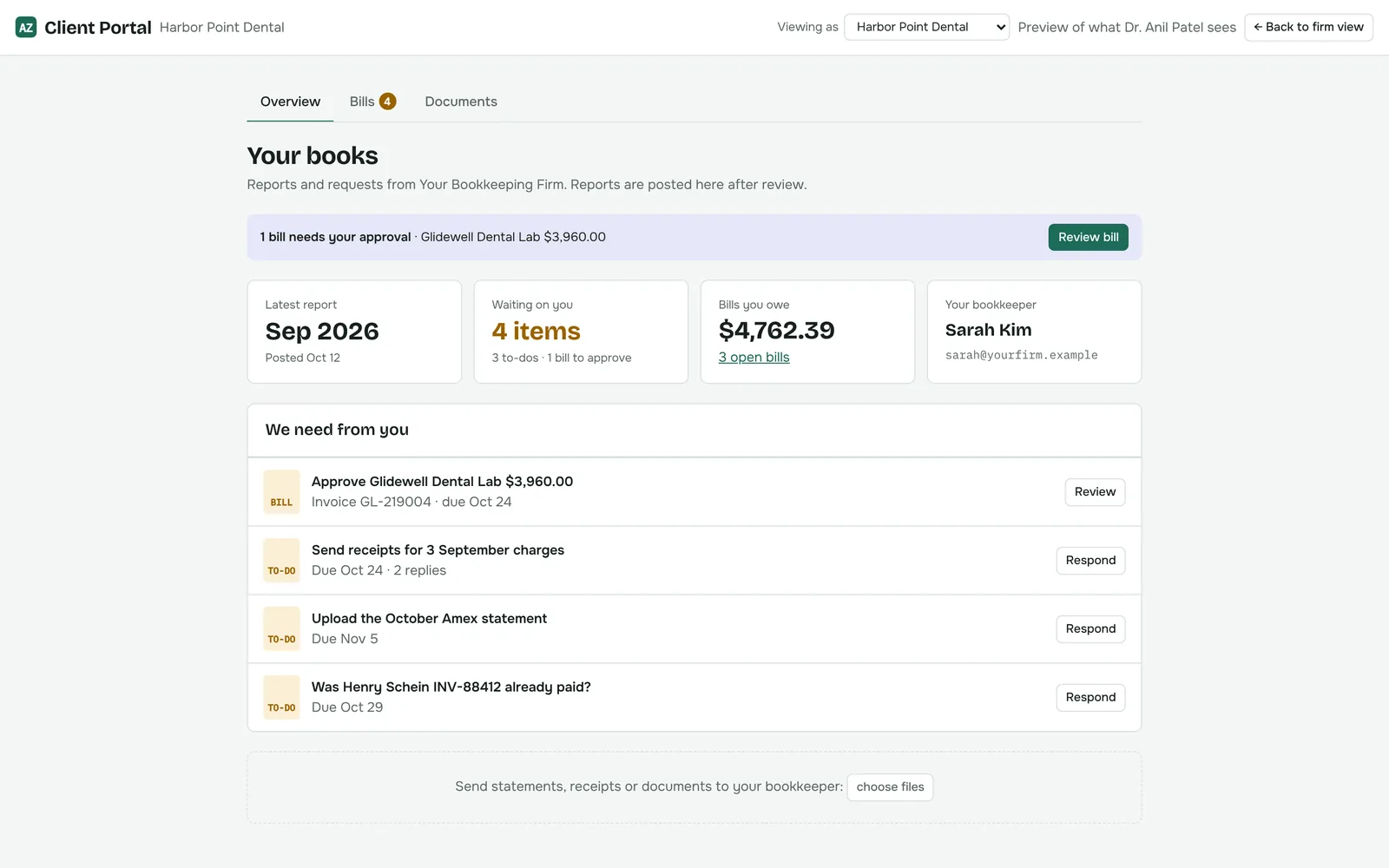
Approve or hold bills
Clients approve bills or put them on hold. A reason is required to hold, so you know what to do next.
Answer to-dos
Clients reply to your questions with text, files or voice notes.
Reports and documents
Clients download the reports and documents you share with them.
Client uploads
Clients send statements, receipts and documents straight to you.
Accounts payable
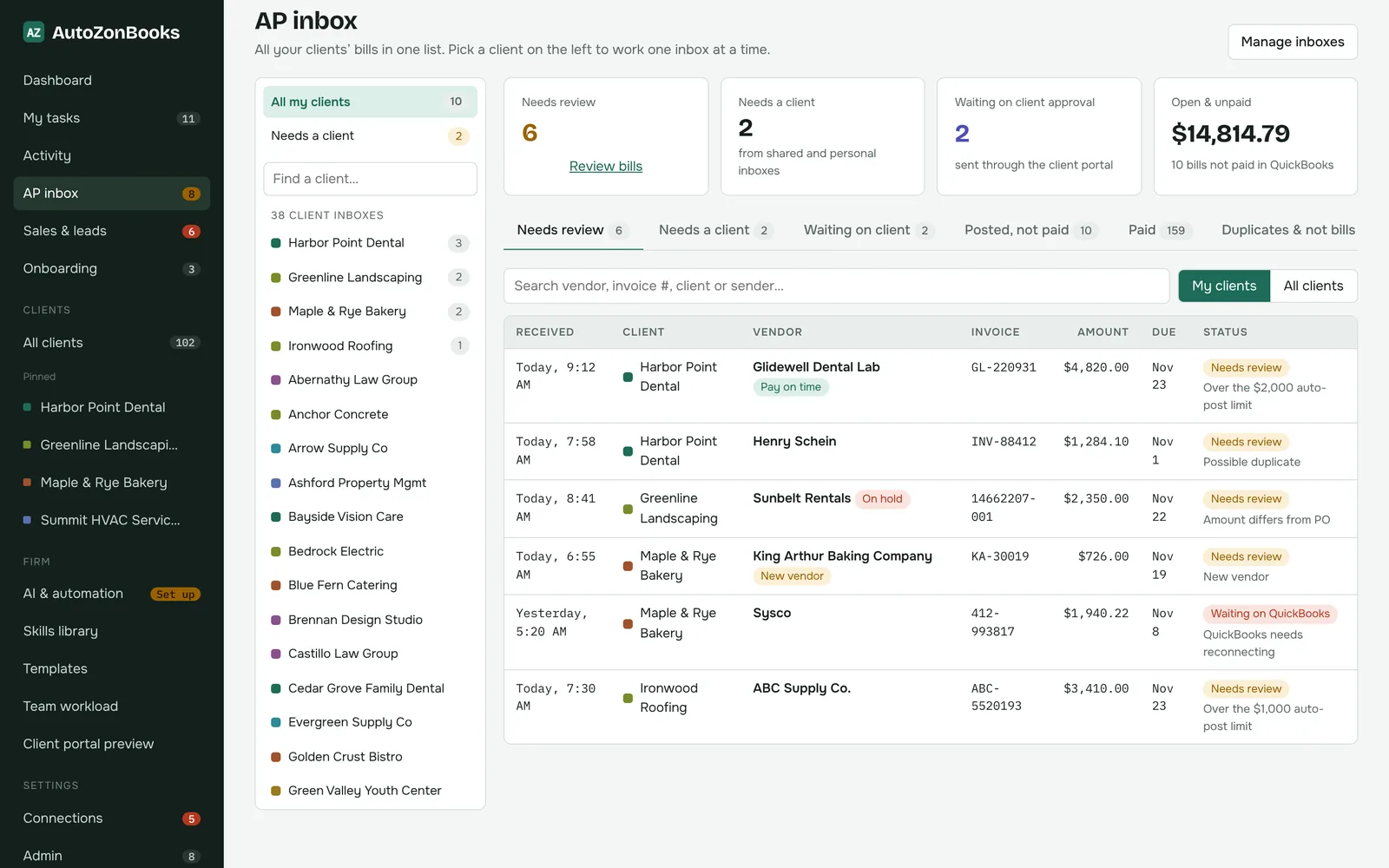
Every client’s bills in one review queue, with approvals that go to the client instead of your inbox.
Billing inbox per client
Each client has its own billing inbox, so bills land in the right place. Gmail connection coming soon
Review queue
See what needs review, what’s waiting on the client and what’s posted but unpaid, across all your clients.
Client approval requests
Send a bill to the client for approval through their portal, with a note on why you’re asking.
AP report by vendor
See what each client owes by vendor, with vendor notes such as “do not pay” or “low priority”.
Shared inbox routing
Routing rules send bills from a shared firm inbox to the right client’s queue.
AI Close Agent & skills library
Reusable skills that check each client’s books against their own written instructions.
Runs on your instructions
Skills read each client’s instructions, then their QuickBooks Online data.
Scheduled or on demand
Run a skill after your close deadline every month, or whenever you want a check.
Follow-up tasks
Anything that isn’t done becomes a task for the right person.
Bring your own AI key
Your firm uses its own key (Claude today; ChatGPT, Grok and Gemini keys can be stored). No AI markup.
Read-only QuickBooks
Each client’s QuickBooks connection is only read. The agent never changes the books.
Skills library
Start from ready-made skills like month-end close review and bank reconciliation check, or write your own.
Team & admin
Give everyone the access they need, and nothing more.
Invite staff with roles
Super admin, admin, manager, staff and read-only roles.
Client-level access
Choose which clients each person can see. Admins see everything.
Portal users
Client portal users see only their own company. Nothing else.
Activity history
See who changed what across tasks, bills and clients.
Sales & leads
Grow the firm from the same place you run it.
Leads
Track prospects with source, status, owner, next follow-up and a log of calls, emails and meetings.
Pipeline with deal values
Move opportunities through stages with monthly and one-time fees, and see your open pipeline.
Coming soon
We’d rather tell you what isn’t finished than oversell it. These are in progress.
Import from Asana or ClickUp Coming soon
Bring your existing projects and tasks across instead of re-typing them.
Gmail inbox connection Coming soon
Connect client billing inboxes in Gmail so bills flow into AP automatically.
Mobile app Coming soon
A dedicated mobile app for your team is on the way.
See it with your own clients in mind.
Tell us how your firm works today and we’ll show you how it maps onto AutoZonBooks.