Answer to-dos
“Send receipts for these 3 charges.” “Was this invoice already paid?” Clients reply right on the to-do, and you see the answer on your side.
Every client gets a simple portal under your firm’s name. They approve bills, answer your to-dos and pick up their reports. You stop digging through email threads to find out what they said.
Clients sign in to a short list: bills waiting for their OK, questions from your team, what they owe, and their latest report. They only ever see their own company.
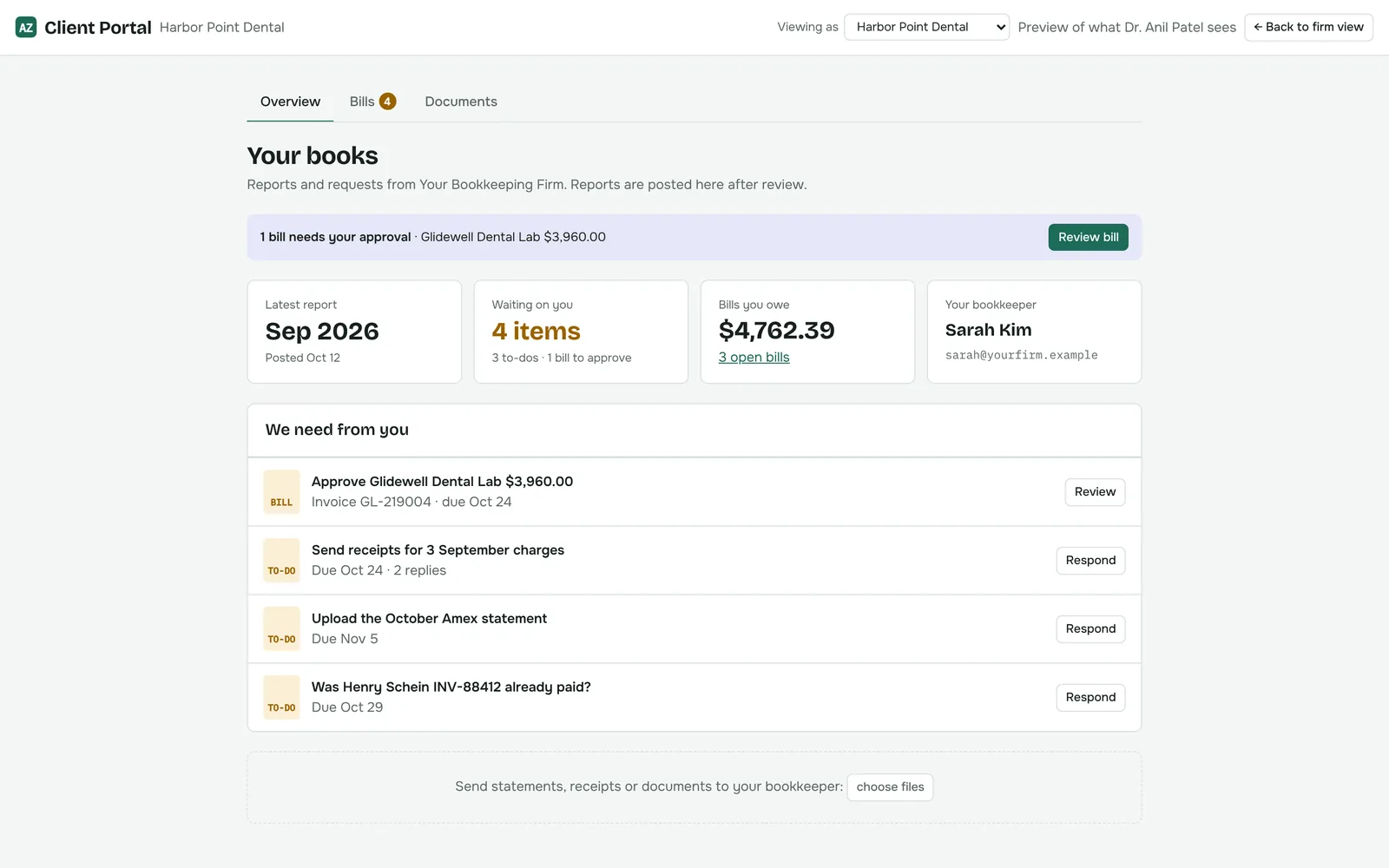
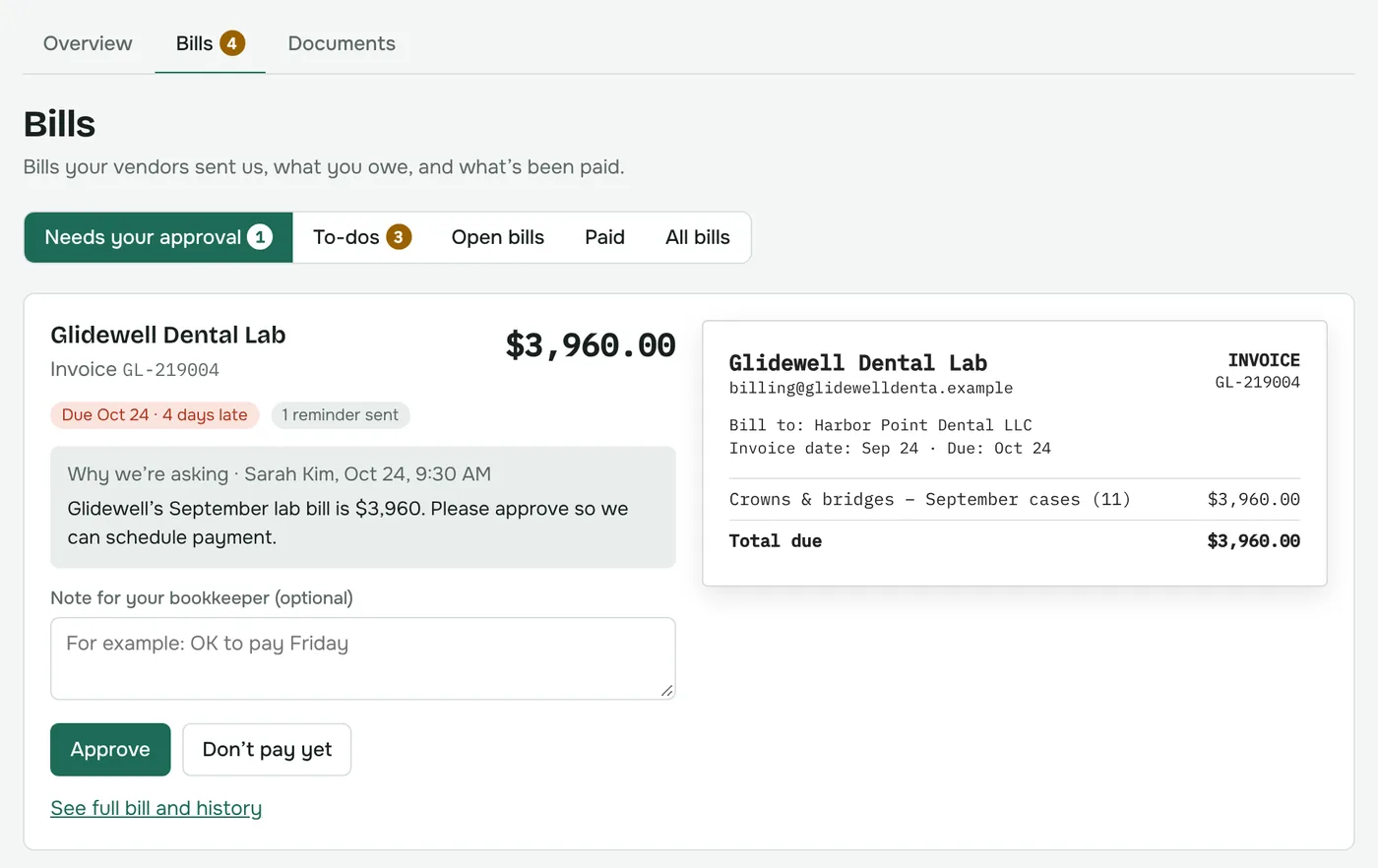
When your team needs the client’s OK on a bill, it goes to their portal with your note explaining why. The client sees the bill next to the invoice and decides.
“Send receipts for these 3 charges.” “Was this invoice already paid?” Clients reply right on the to-do, and you see the answer on your side.
Clients answer however is easiest for them: type a reply, attach a file, or record a quick voice note.
Share monthly reports and documents with the client. They download them from the portal whenever they need them.
Clients send statements, receipts and documents to you directly, instead of attaching them to emails.
Portal users are tied to one client. They can’t see other clients, your internal notes or vendor notes.
Invite one or more people per client. They set their own password from the invite link.
Most of your clients will approve bills between other things. The portal is built to work on a phone screen with no app to install.
See it in a demo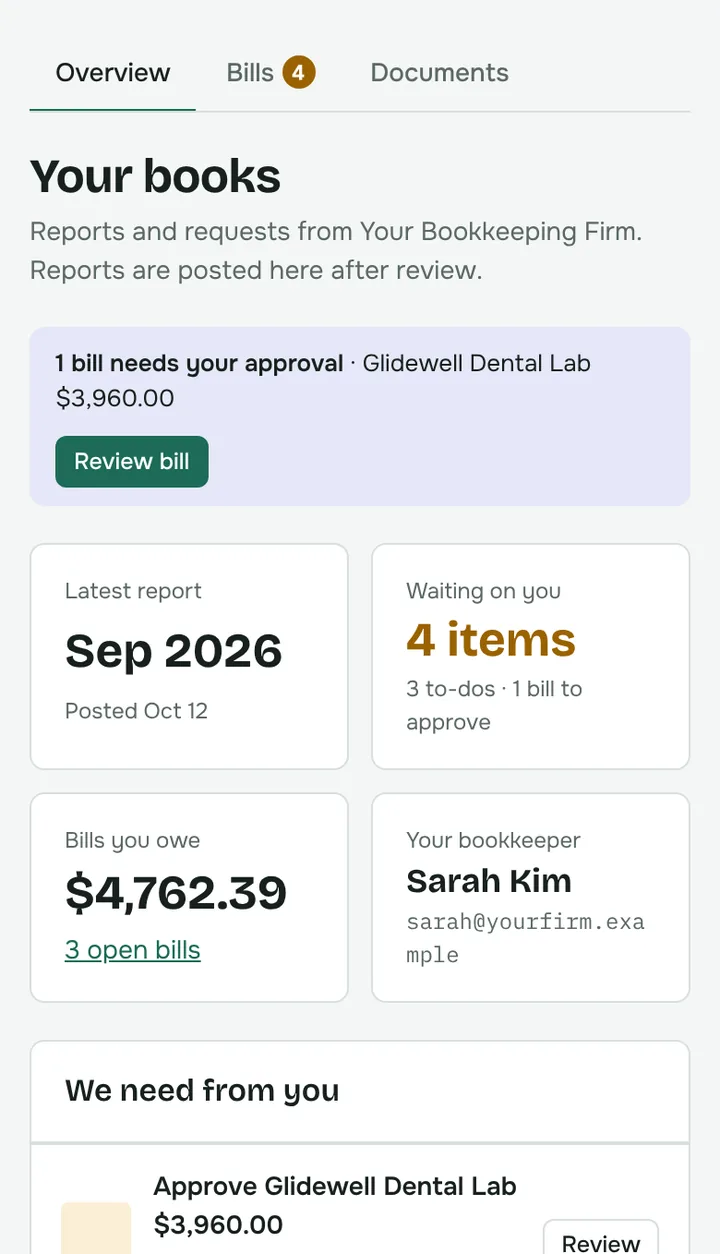
The client portal and AP come with every AutoZonBooks plan, for all of your clients.